Local-First AI Video Editing: What Actually Stays on Your Machine?
A practical privacy model for local AI video editors: project storage, media, API keys, cloud models, transcription, generation, MCP access, and backups.
 OpenChatCut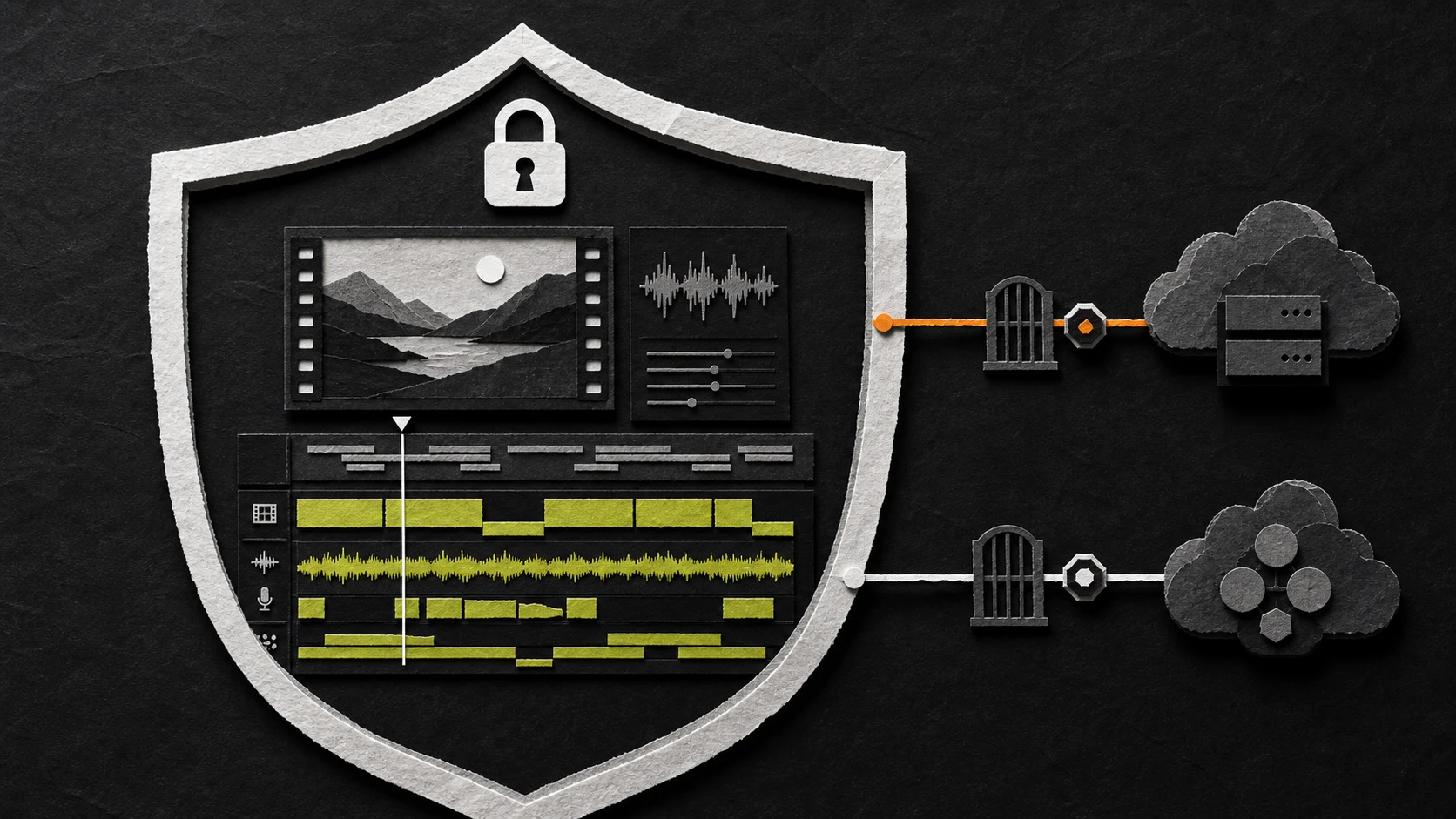
“Local AI video editor” can describe several very different architectures. The application may run on your computer while every source file is uploaded. The timeline may be local while transcription uses an external API. A model may run locally but retrieve stock media from an online service.
The useful question is not simply “Is it local?” It is:
For this specific action, which data is stored locally, which process can read it, and which configured service receives a request?
This article applies that question to OpenChatCut and to local-first AI editing in general.
Local-first does not mean local-only
A local-first editor keeps the primary project and editing workflow usable on your machine. It should not require a cloud account merely to arrange existing clips, adjust a timeline, or continue a saved project.
That is different from promising that no byte will ever leave the device. Optional features—cloud language models, online transcription, media search, image generation, or remote storage—can create outbound requests when you enable and use them.
A precise privacy statement must therefore name the boundary for each feature.
The four data planes to understand
1. Project and media storage
OpenChatCut stores projects, chat history, and version data in a shared local store under ~/.openchatcut, with IndexedDB used for browser-side caching and legacy migration. User media lives in a configurable local media directory by default.
This means core tasks such as arranging existing media, editing tracks, changing clip timing, and working with built-in assets do not require a cloud storage account. Local files are also easier to back up, migrate, inspect, and remove using normal filesystem tools.
Optional remote storage changes that boundary. If you configure Cloudflare R2 or another connected media service, treat that service as part of your storage architecture and review its access, retention, and deletion settings separately.
2. Browser and local server
OpenChatCut has a browser UI and a server-side process. That boundary matters even when both run on the same computer.
Provider credentials belong on the server side. They should not be embedded in browser JavaScript, written into project JSON, or exposed through public environment variables. In OpenChatCut, API keys are read from server-side configuration, and local media paths and R2 credentials are not written into exported project data.
Server-side storage protects credentials from accidental browser exposure; it does not make a third-party request local. When the server calls an external provider, the data included in that request follows the provider's network and retention policies.
3. AI, transcription, generation, and media providers
OpenChatCut's core timeline, local projects, built-in media, and manual editing can work without configured cloud services. Connected capabilities are enabled after you supply the relevant credentials.
The boundary depends on the action:
| Action | Local by default | May contact a configured service |
|---|---|---|
| Arrange existing clips | Project state and local media | No provider required |
| Manual timeline edit | Tracks, timing, effects, captions | No provider required |
| Ask a cloud model to inspect or edit | Resulting project edits | Prompt and selected project context |
| Transcribe media | Stored transcript and linked timing | Audio or video required by the transcription provider |
| Generate image, video, speech, or music | Returned asset after download | Prompt, references, and provider-required inputs |
| Search online media | Installed or downloaded result | Search query and service metadata |
| Sync to optional remote storage | Local working project | Uploaded objects and storage metadata |
The exact payload varies by provider and feature. Before processing sensitive footage, inspect the provider configuration and its documentation rather than relying on the word “local” in the editor's description.
4. MCP and external Agents
OpenChatCut exposes a local Streamable HTTP MCP endpoint so compatible clients such as Codex or Claude Code can inspect and modify projects through the editor's tools.
Locally bound MCP access is still a permission boundary:
- the external Agent can receive tool results and project context;
- the Agent's own model provider may receive the context it is given;
- a client with editing permission can make real project changes;
- a publicly reachable endpoint expands the attack surface.
Keep the endpoint on the local interface when remote access is unnecessary. If you expose it beyond the machine, configure OPENCHATCUT_MCP_TOKEN, use Bearer Token authentication, restrict network access, and rotate the token if it may have leaked. See the OpenChatCut MCP guide for the connection flow.
Build a threat model before choosing settings
Privacy is not one universal switch. Start with the footage and the consequences of exposure.
Low-sensitivity public content
Examples: already-published tutorials, public conference talks, reusable product footage.
A hybrid workflow may be reasonable: local project storage with selected cloud transcription or model assistance. The main concerns are cost, provider reliability, and avoiding accidental credential exposure.
Confidential business content
Examples: unreleased product demos, internal meetings, customer interviews, financial presentations.
Identify which services would receive audio, frames, transcript text, prompts, or generated references. Use the minimum set of providers, verify retention controls, limit collaborator and MCP access, and maintain an encrypted backup.
Regulated or highly sensitive content
Examples: protected health information, legal evidence, identity documents, private security footage.
Treat every upload, model request, log, cache, and backup as a separate review item. “The editor runs locally” is not sufficient evidence for compliance. Your organizational policy and provider agreements determine what processing is acceptable.
Three practical operating modes
Offline manual mode
- Import local media.
- Use the timeline and built-in assets.
- Keep cloud provider credentials unconfigured.
- Export locally.
This gives the smallest network surface for existing footage. Features that depend on online models, transcription, generation, or media search remain unavailable.
Selective hybrid mode
- Keep project files and source media local.
- Configure only the provider needed for a specific task.
- Send the smallest useful input.
- Review the result and continue editing locally.
- Remove unused credentials when the job is over.
For many creators, this is the practical meaning of local-first: the project does not live inside a mandatory cloud platform, while optional services are explicit choices.
Connected production mode
- Use cloud models, transcription, generation, online media, or remote storage.
- Document which provider handles each capability.
- Separate development and production credentials.
- Set spending and rate limits where providers support them.
- Review logs, retention, access, and deletion behavior.
This mode may maximize capability, but it should be described as connected—not assumed to be offline because the editing UI runs locally.
A ten-minute privacy audit
Before importing sensitive footage:
- Locate project storage. Confirm where projects, cache, exports, and media are written.
- List configured providers. Check model, transcription, generation, media-search, and remote-storage credentials.
- Map actions to data. Note whether each action sends prompts, transcript text, audio, video, images, or metadata.
- Inspect MCP exposure. Confirm the bind address, connected clients, and token configuration.
- Check exported project data. Verify that credentials and absolute secret paths are not embedded.
- Review provider retention. Use the current policy for the account and API plan you actually use.
- Test deletion. Know how to remove local media, caches, provider-side assets, and remote-storage objects.
- Create a backup plan. Protect the project without multiplying uncontrolled copies.
This audit is more informative than a single privacy badge because it follows the actual data flow.
API key hygiene
Bring-your-own-key setups offer choice, not automatic safety. Use a separate key for the editor, give it only the scopes it needs, set provider-side budget limits, and rotate it after accidental disclosure.
Never put provider secrets in:
- a public repository;
- browser-exposed environment variables;
- screenshots or support logs;
- project templates;
- prompts sent to another model;
- shared MCP configuration without access controls.
If a feature does not need a provider, leaving that credential unset is simpler than trying to restrict an unused integration.
Backups and deletion are part of privacy
Local-first storage gives you control, but also responsibility. A project stored only on one laptop can be private and still be fragile.
For important work:
- back up the project store and media directory together;
- encrypt the backup when the footage is sensitive;
- keep enough version history to recover from an unwanted edit;
- verify a restore before deleting the original;
- remove test exports and proxy media when they are no longer needed;
- document any optional remote-storage copies.
Privacy includes knowing where every durable copy lives.
Questions to ask any local AI video editor
- Can I edit existing local media without signing in?
- Where are projects, cache, proxies, and exports stored?
- Which features require external providers?
- What exact data does each feature send?
- Are API keys restricted to the server-side process?
- Can I disable or omit unused integrations?
- Does the Agent modify a reviewable timeline?
- How is external Agent or MCP access authenticated?
- Can I export and back up the complete project?
- How do I delete local and remote copies?
OpenChatCut is local-first because its project, media, timeline, and manual editing workflow remain under local control by default—not because every optional AI capability is secretly offline. That distinction makes the system easier to evaluate honestly. Read why OpenChatCut keeps an editable timeline, or download it and inspect the workflow yourself.